
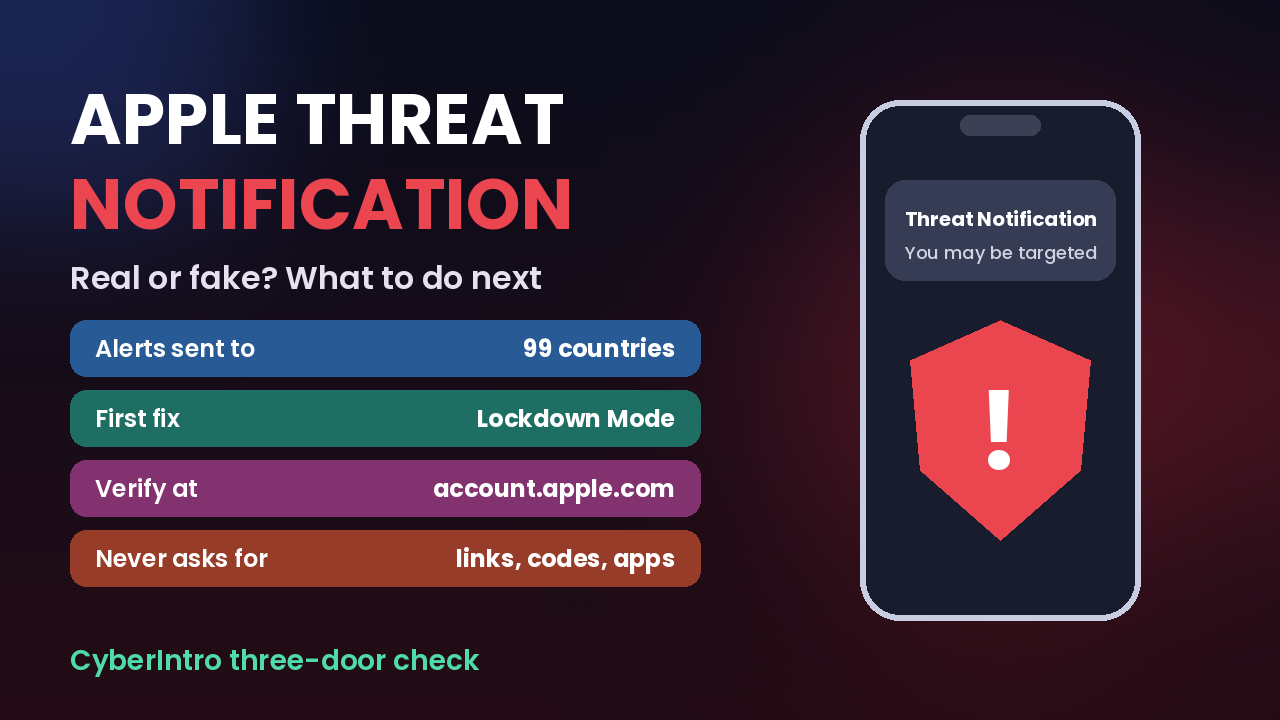
Imagine unlocking your iPhone and finding a message from Apple saying you may be the target of a mercenary spyware attack. Scary? Very. Rare? Also very. This week a fresh wave of these alerts reached people in 99 countries, and German lawmakers were among those warned. So if you have ever wondered what an Apple threat notification actually is, how to tell a real one from a scam copy, and what to do in the first hour if one lands on your phone, this is your no-panic guide, written for Indian iPhone users.
Table of Contents
What just happened with Apple threat notifications
Here are the facts as reported so far, minus the drama:
- Apple sent a new batch of threat notifications in late October, and the notice itself says it went to targeted users in 99 countries.
- Apple says it has now notified users in more than 150 countries in total since it started these alerts in 2021.
- In Germany, alerts reportedly began reaching members of parliament and officials on 29 October, and the country’s cyber security agency BSI told recipients to assume their device may be compromised.
- The Financial Times reported a “zero-click” attack, meaning the phone could be hit without the owner tapping any link or file.
- Journalists in Turkey and Lebanon have also publicly shared notices from this round.
- Apple does not name attackers or countries, and it does not confirm whether a device was actually infected.
What about India? Public reports on this batch have not named Indian recipients so far. But India is no stranger to these alerts: politicians and journalists here got them in 2023, and another round in December 2025 led CERT-In, the government’s cyber security agency, to offer device checks to affected users. So the “this only happens abroad” line does not hold.
Who actually gets these alerts
Let us lower the blood pressure first. Apple describes mercenary spyware as costing millions per operation and being aimed at a very small number of people, usually because of who they are or what they do. Think journalists, activists, politicians, diplomats, lawyers on sensitive cases, and senior people in government or business.
If you are a college student whose most sensitive data is a group chat about who ate the last samosa, the odds of a state-grade attack on your phone are tiny. The bigger risk for most of us is the fake version of this alert. Which brings us to the most useful part of this post.
Real or fake: the CyberIntro three-door check
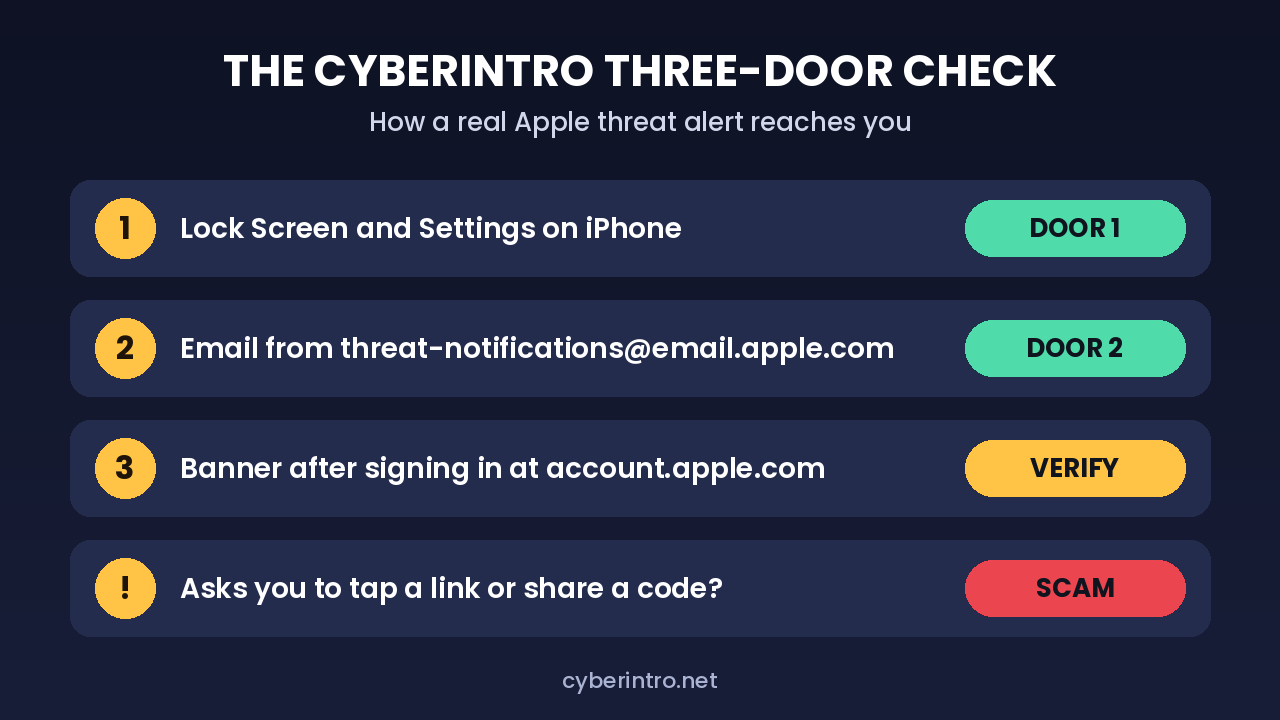
Apple says a genuine notice reaches you through three doors. A real alert should show up in at least one of them, and you can always confirm through the third:
- Door 1, the iPhone itself: a Threat Notification alert on the Lock Screen and inside Settings.
- Door 2, email: a message to the email linked to your Apple Account, sent from threat-notifications@email.apple.com.
- Door 3, the Apple Account website: sign in at account.apple.com by typing the address yourself. If Apple sent a notice, a banner sits at the top of the page.
And here is the golden rule. Apple says a genuine threat notification will never ask you to click a link, open a file, install an app or profile, or share your Apple Account password or verification code over email or phone. So an SMS saying “Apple Security Alert, tap here to secure your iPhone” or a caller claiming to be from “Apple cyber cell” is a scam, full stop. No exceptions, no “but it looked so official”.
Got a real one? Your first-hour checklist
If the alert passes the three-door check, do these in order. No panic, no Googling random fixes at 2am.
1. Turn on Lockdown Mode
This is Apple’s own top recommendation. Lockdown Mode switches off or limits features that attackers love to abuse, like most message attachments and some web technologies. On an iPhone, go to Settings, then Privacy and Security, scroll to Lockdown Mode, turn it on and restart. Some apps and websites will feel clunkier. That is the trade, and for a targeted person it is a fair one.
2. Update everything
Install the latest iOS version on your iPhone, and update your iPad and Mac too if they share the same Apple Account. Spyware often rides on bugs that a recent update has already patched.
3. Call in the experts, the free ones
Apple points notified users to the Digital Security Helpline run by the non-profit Access Now, which works 24×7 through its website. In India, CERT-In’s December 2025 advisory asked anyone who got such an alert and wanted their Apple device examined to write to submitmobile@cert-in.org.in. Whether you go to one, the other, or both is your call; journalists and activists in particular may prefer an independent civil society group.
4. Do not factory reset in a panic
Our take: wiping the phone might feel like the cleanest fix, but it can also erase the traces an investigator needs to work out what happened. Talk to the helpline first, then decide.
5. Skip the paid “spyware removal” wallahs
Researchers have warned people to be careful with companies selling paid fixes for these infections. If someone on Instagram promises to “remove Pegasus for Rs 4,999”, that is a second scam on top of the first problem.
Not targeted? The five-minute hygiene drill for everyone
Apple’s guidance for regular users is the same boring advice that actually works, and it takes less time than a reel binge:
- Keep iOS updated, ideally with automatic updates on.
- Use a passcode with Face ID or Touch ID.
- Turn on two-factor authentication and a strong password for your Apple Account.
- Switch on Stolen Device Protection, which also helps a lot if your phone gets snatched at a crowded station.
- Install apps only from the App Store and use passkeys where available.
- Do not open links or attachments from unknown senders, on WhatsApp, SMS, or email.
If you do sensitive work and have good reason to think you might be a target, Apple says you can turn on Lockdown Mode even without an alert. And a missing alert does not prove you are safe; researchers point out that no notification does not rule out an infection. Android users are not off the hook either; Google sends its own warnings about government-backed attackers to some account holders, so treat those just as seriously. For more everyday protection tips, our festive sale scam safety setup covers the phone settings most of us skip.
Final Thought
An Apple threat notification is not a virus pop-up and not a marketing email. It is Apple saying “someone with very deep pockets may be after you”, and the right response is calm, quick action: verify through account.apple.com, switch on Lockdown Mode, update, and get free expert help before touching that reset button. For the other 99.9 percent of us, the real danger is the fake alert that copies the real one. Remember the golden rule: real Apple alerts never ask you to tap a link or share a code. Spyware ka darr, scammers ka dhandha; do not feed either.