
Samsung Wallet UPI fingerprint India support is the quiet upgrade a lot of Galaxy owners actually wanted — not another camera megapixel war. Eligible payments up to Rs 10,000 can authenticate with your phone’s fingerprint (and face recognition where Samsung Wallet supports it), so you are not pecking a UPI PIN in every crowded checkout line.
This is not a launch-roundup rewrite. Below: what is verified, how to turn it on, when CyberIntro says enable vs leave PIN friction on, and the safety catches that keep paisa tension low.
Table of Contents
What is actually live (fact filter)
Cross-check against Samsung Newsroom India (biometric UPI direction announced earlier) and late-September 2026 tech coverage that says the feature is now live for India Galaxy users:
- What: On-device biometric auth for Samsung Wallet UPI — primarily fingerprint; Samsung has also described facial recognition as part of the biometric path
- Limit: Eligible UPI payments up to Rs 10,000 without manually entering the UPI PIN
- Where auth runs: On the device (your biometric hardware), which is the privacy pitch vs flashing a PIN on-screen
- Above the limit / unsupported flows: Expect the normal UPI PIN (or whatever your bank/Wallet still requires)
- Who: Compatible Galaxy phones with Samsung Wallet UPI set up — exact model list is not a public one-pager; treat availability as device + Wallet app version + bank/rollout dependent
- Limit context: Coverage notes the PIN-free cap moved up to Rs 10,000 (from a lower earlier threshold reported as Rs 5,000) when Samsung called the feature out publicly around 24 September 2026
If your Wallet build still forces PIN every time under Rs 10,000, do not panic — update Samsung Wallet from the Galaxy Store / Play, reboot once, and re-check. Rollouts are rarely “every phone at 9 AM.”
Why this matters more than a shiny press quote
India UPI already won on speed. The remaining friction is muscle memory: six-digit PIN, wrong attempt, locked flow, shoulder-surfing anxiety at the metro gate. Biometric UPI on Samsung Wallet is basically “unlock-phone energy” applied to small-and-mid pays.
Trade-off is obvious: convenience goes up, PIN-as-speed-bump goes down. That is a feature for chai and cab rides. It is a bug if you want a mental pause before every scan.
Step-by-step: enable biometric UPI on Samsung Wallet
Wording moves slightly by Wallet version, so treat this as the practical path Galaxy users report — not a screenshot-perfect OEM tutorial.
- Update Samsung Wallet (and system software if an update is pending).
- Open Samsung Wallet and open your UPI / linked bank account card.
- Scroll to the bank account / payment settings area for that UPI profile.
- Find Biometric Payments (or similarly worded biometric / fingerprint UPI toggle) and turn it on.
- Confirm with your existing UPI PIN or device biometric when prompted — first enable almost always needs a strong factor.
- Run a low-value test pay (Rs 1–Rs 100 to a trusted UPI ID or your own secondary) and confirm fingerprint (or face) clears it without PIN.
If the toggle is missing:
- Confirm Samsung Wallet UPI is already linked and working with PIN
- Confirm at least one fingerprint (or face) is enrolled under Galaxy biometrics / Knox settings
- Update Wallet again and check after 24–48 hours — phased push is normal
- Do not chase random APKs; stay on Galaxy Store / Play
How a payment feels after enable
Typical happy path for an eligible sub-Rs 10,000 scan:
- Merchant QR / collect request opens in Samsung Wallet UPI as usual
- Amount shows under the biometric threshold
- You authenticate with fingerprint (or face where offered)
- Payment completes without typing the UPI PIN
If amount is over Rs 10,000, or the flow is unsupported for biometric, fall back to PIN. That split is the whole security model — do not assume “fingerprint forever, every rupee.”
CyberIntro framework: should you enable?
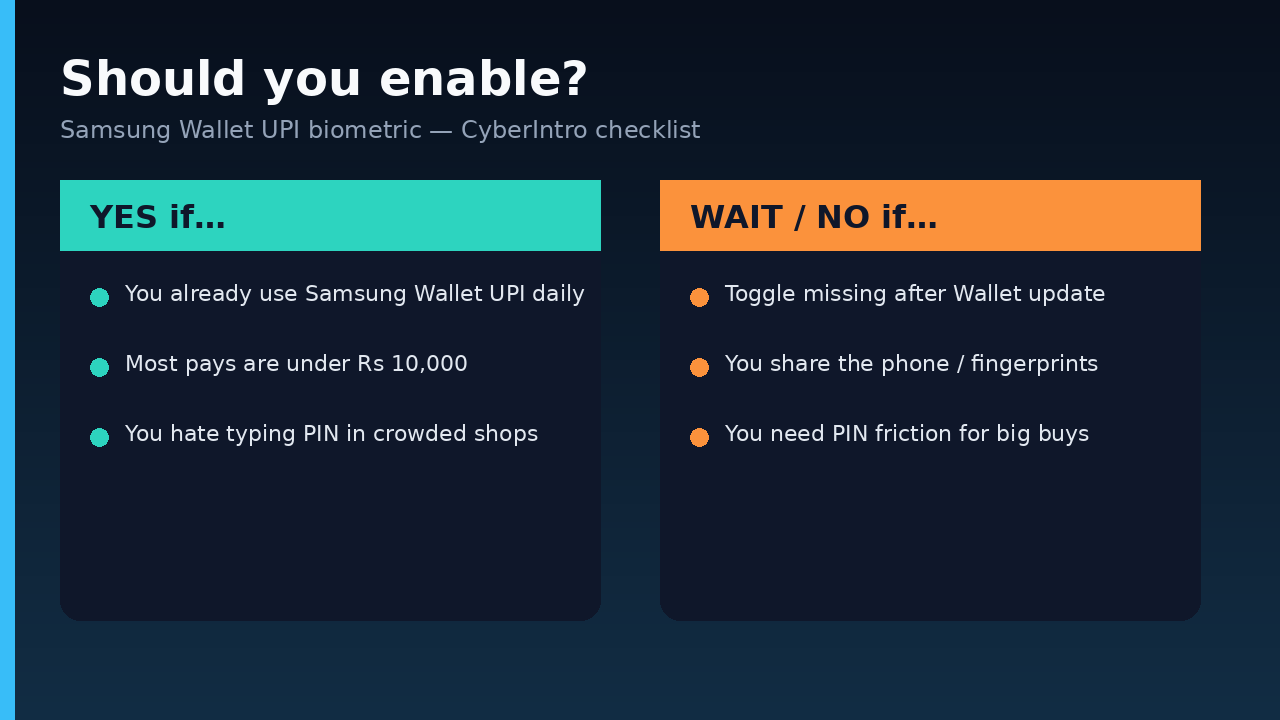
Enable if…
- Samsung Wallet is already your daily UPI home on a personal Galaxy
- Most of your scans are kirana / food / metro / small online collects under Rs 10,000
- You hate PIN mistypes and public shoulder-surfing more than you love PIN friction
- Only your fingerprints (and face, if used) are enrolled on the phone
Wait or skip if…
- The Biometric Payments toggle is still absent after a clean Wallet update (wait for rollout)
- The phone is shared with family — kids, parents, shop staff — and their biometrics could approve pays
- You deliberately want PIN friction for impulse spends (honest, and valid)
- Your bank SMS / app alerts feel flaky and you want slower confirmation muscle memory
- You are mid-dispute / re-KYC with the linked bank account — fix that first
Hybrid CyberIntro take
Turn biometric on for everyday Wallet UPI, keep mental PIN readiness for:
- Big festive purchases (phones, appliances — see our festive sale posts when you are shopping season)
- New merchants you do not recognize
- Any collect request that looks off (wrong name, odd note, “refund” bait)
Convenience for chai. Brain on for big paisa.
Safety checklist (do this once)
- Enrol only your fingerprints / face; remove guest biometrics you forgot about
- Keep UPI PIN memorised — biometric does not replace PIN for every flow
- Never share PIN, OTP, or “Wallet support” screen-share with strangers in chat
- Verify merchant name on collect requests before biometric approve — a fingerprint is faster, so fraudsters love rush energy
- If the phone is lost/stolen: use Find My Mobile / remote lock and revoke UPI from bank app ASAP
- Pair this hygiene with other India payment habits — if you also clear utilities inside chat, our WhatsApp bill payment India FASTag how-to covers the bill-side checklist
Quick facts card
- Feature: Samsung Wallet UPI biometric authentication (India)
- Auth: fingerprint; face also described in Samsung’s biometric direction
- PIN-free ceiling called out in coverage: Rs 10,000
- Processing: on-device biometric
- Above limit / unsupported: UPI PIN (as applicable)
- Devices: compatible Galaxy phones with Samsung Wallet UPI
- Public call-out window: late September 2026 coverage; Samsung Newsroom had already framed biometric UPI earlier
- Caveat: availability depends on Wallet version, device, bank, and rollout
Final Thought
Samsung Wallet UPI fingerprint India is the rare update that saves seconds you feel every day — not a brochure megapixel. CyberIntro take: enable it on a personal Galaxy if the toggle is there and your spends sit under Rs 10,000; keep PIN muscle memory for fat festive carts and sketchy collect requests. Double check the merchant once, then let the fingerprint do the boring work.